 M6
M6One partner, and you decide what they see
M6 Partner is accountability with boundaries. You invite one person by link. By default they see only whether you showed up today and which day you are on. Everything else is closed until you open it. They can send a reaction or a nudge. There is no chat, no feed and no leaderboard.
Coming soon to iPhone
How do I invite a partner?
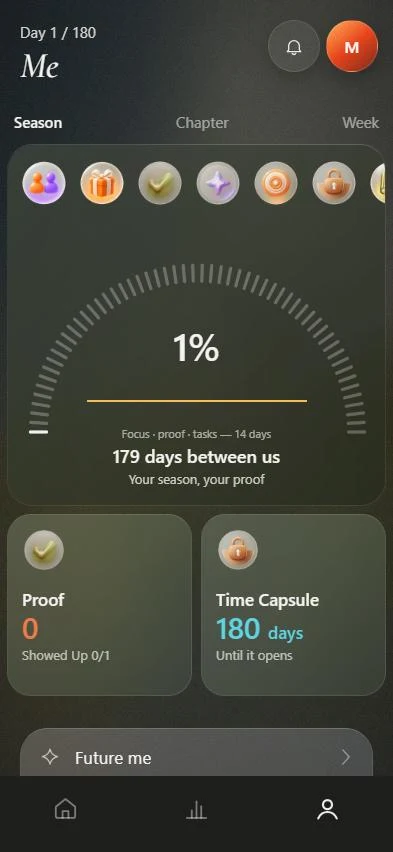
Open Me and tap M6 Partner. The app opens with "Don't do it alone" and a short explanation.
- Tap Invite someone and enter the name that goes in the invite.
- Choose what they should help you with: consistency, work or study, fitness, business or a life reset.
- Pick a check-in rhythm: daily, weekdays, three times a week or weekly.
- Choose what they can see, then preview the invite.
- Share the invite link with one person.
What can my partner see?
Two things are always open, because a partnership needs them: whether you showed up today, and your day number. Six more are closed by default and you open each one separately, with a confirmation.
| Open by default | Closed until you open it | Never shared |
|---|---|---|
| Showed up today | Proof count | Notes |
| Day number | Task titles | Income values |
| Goal names | Voice messages | |
| Focus time | Time capsule | |
| Weekly review summary | ||
| Current metrics |
What can a partner do?
A partner can send reactions and a gentle nudge. The invite tells them they will see only what you choose to share, and the app's approach to a person who disappears is one nudge and not a chase. You can revoke access at any time and the link is cut.
Is there a limit?
There is never more than one partner. If you already have one, the app asks you to end or pause that partnership first. The app does not read your contacts, location or app usage.
What reaches the server?
Only what you allowed. The server filters on its side: a closed field is absent from the response, not hidden by the app. The server also never tells your partner when you last opened the app. See the privacy page for the full list.
When is a partner a good idea?
A partner is useful when you tend to drop goals quietly, or when a goal depends on turning up regularly. A good partner is someone reliable who is not your boss and who will ask a plain question. If you prefer to work alone, M6 works fully without a partner, and you can invite one later.
Frequently asked questions
Does my partner need M6?
The invite arrives as a link. A person who opens it can accept and see only what you opened, or start their own six months.
Can I see my partner's data?
You see exactly what your partner opened to you, and the app shows that list.
Is there a chat?
No. This version has reactions and nudges only.
How do I stop sharing?
Tap Revoke access in M6 Partner. The link is cut and sharing stops. You can also reset visibility to private.