
What to put on a daily to-do list, and what to leave off
A daily to-do list should hold three to five tasks: one that moves your main goal, one or two obligations, and one small admin item. Give every task a time estimate and a place in the day. Everything else goes to a separate someday list so that today's list can actually be finished.
Coming soon to iPhone
What should be on my daily to-do list?
Start with the one task that moves your main goal. Add what you must do today (a deadline, an appointment, a bill), then one small admin item that clears space. That is three to five lines.
The size of the list matters more than the content. A list longer than you can finish teaches you to ignore it. A list you finish four days out of five teaches you to trust it.
Before you add a sixth item, ask what you would drop to make room. If the answer is nothing, the item belongs on the someday list.
A simple daily to-do list template
Copy this layout onto paper or into a notes app each morning. It takes two minutes.
| Slot | What goes here | Example | Minutes |
|---|---|---|---|
| 1. Goal action | The task that moves your main goal | Write the next 300 words | 30 |
| 2. Obligation | Something with a deadline today | Send the invoice | 10 |
| 3. Obligation or errand | A second must-do, if any | Pick up the parcel | 20 |
| 4. Admin | A task that removes friction | Reply to two emails | 10 |
| 5. Optional | Only if the first four are done | Tidy the desk | 5 |
If the minutes add up to more than your free time, the list is wrong, not you.
What should I leave off the list?
Some items belong somewhere else. Moving them out is what keeps the daily list short.
- Projects. "Redo the website" is a project; "Choose the homepage photo" is a task.
- Vague wishes such as "be more organized".
- Tasks that depend on someone else replying. Put those on a waiting list.
- Anything with no date and no urgency. It goes to the someday list.
- Routines you do anyway, such as brushing your teeth. Track only the ones you want to build.
How do I write a task so I actually do it?
Start with a verb and name a visible result. "Taxes" invites avoidance; "Gather the three tax documents into one folder" invites action. Add the time: "15 minutes".
If a task has stayed on your list three days in a row, it is too big or too vague. Split it, or ask what is actually blocking it.
What do example lists look like for different days?
Your list changes with your day. Here are three realistic ones, each with a total time you can check against your free hours.
| Day type | Task 1 (goal) | Task 2 | Task 3 | Total |
|---|---|---|---|---|
| Workday, 90 free minutes | Practice Spanish, 20 min | Pay the electricity bill, 5 min | Reply to two emails, 10 min | 35 min |
| Free day, 4 free hours | Outline chapter 3, 60 min | Grocery run, 45 min | Call the dentist, 10 min | 115 min |
| Hard day, low energy | Read 5 pages, 10 min | Take out the trash, 5 min | (none) | 15 min |
A hard day with two small tasks beats a skipped day. Keep the chain alive.
How long should it take to write the list?
Two to five minutes. If you spend half an hour designing the list, you are planning instead of doing. Use one place for the list, not four. Many people keep a single capture note for things that come to mind and move three to five items to the daily list each morning.
What about recurring tasks and habits?
Recurring tasks, such as paying rent on the first, belong in reminders or a calendar so they appear on their own. Habits you are building can go on the list as one slot, but cap them at one or two, or the list fills with routine. See the habit tracker versus goal tracker guide for where each kind of item belongs.
When in the day do I do each task?
Attach each task to a time of day. Put the goal action in the first part of your day, when energy is highest and interruptions are lowest. Obligations with a clock time go where they belong, and admin fits into gaps.
If a time block sounds useful, the time blocking guide shows how to set one up without overplanning.
How do I close the day?
Spend two minutes at the end. Mark what is done, move what is not to tomorrow or the someday list, and write the first task for tomorrow. Starting the day with the first task already chosen removes the most common source of delay.
Ask one question: how did today feel, too much, about right or too easy? Your answer tells you how long tomorrow's list should be.
Daily to-do list apps for iPhone: what to look for
Pick an app that limits the list, shows time per task and lets you push a task to another day without friction. Task managers such as Todoist are built for flexible, large lists; see the Todoist comparison for how a general manager differs from a daily plan.
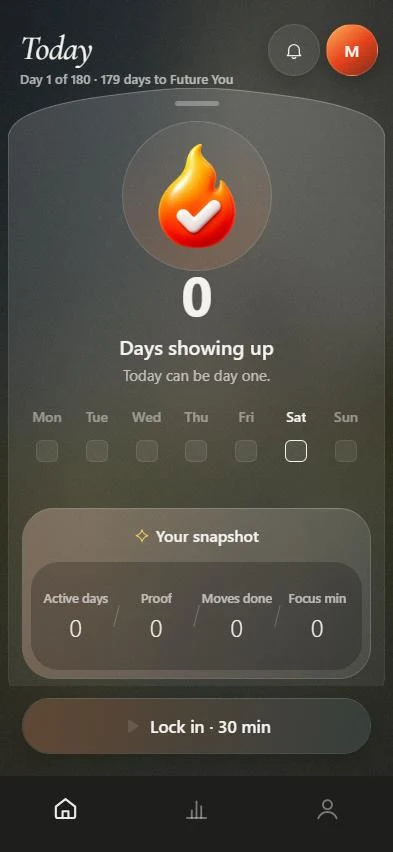
M6 takes the opposite approach: Today shows three actions, each with a reason and a time, drawn from your goal route. You can move or skip an action and add your own, and Settings lets you raise the limit to four or five.
Frequently asked questions
How many items should be on a daily to-do list?
Three to five. That is enough to move a goal and short enough to finish on an ordinary day.
How do I prioritize my daily to-do list?
Put the task that moves your main goal first, then deadlines, then admin. Read the prioritizing guide for a method when everything feels urgent.
Should I write the list the night before or in the morning?
The night before works better for many people, because the first task is already chosen when you wake up. Morning planning is fine if you keep it under five minutes.
What do I do with tasks I did not finish?
Move them to tomorrow once. If they survive three days, split them or remove them.
Is a paper list better than an app?
Neither is better. Paper is quiet and hard to ignore on a desk; an app reminds you and syncs. Choose the one you will open every morning.