 M6
M6A 180-day route in six chapters
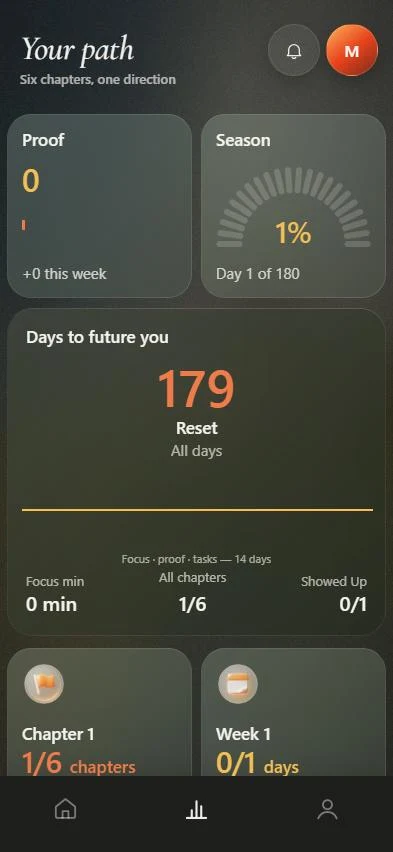
M6 turns what you want to change in six months into a route of six chapters, one per month, each with targets and milestones that have target dates. A weekly review adjusts the next week, and if you miss days the route is rebuilt from today while your North Star stays the same.
Coming soon to iPhone
How is the route built?
You answer a short setup and M6 builds the route from your answers. Nothing here is a prediction; the app says Future You is "a direction, not a prediction".
- Describe what should be different in six months. Type it, or dictate it with the keyboard microphone.
- Review the targets M6 drew from your words. Edit them, add another or remove one.
- Pick one North Star, the target M6 defends when your week gets crowded.
- Set time per day, days per week and a rest day.
- Watch M6 build the plan: goals, phases, workload, week one and today's moves.
What is in each chapter?
Open the Path tab and each chapter shows its purpose, its targets and its milestones. A milestone has a target date, a reason it matters and a list of the actions that build it. When you reach one, you mark it achieved and it becomes a proof.
| Part | What it holds |
|---|---|
| Chapter | One month of the route, with its purpose and days |
| Targets | Measurable outcomes, with a "now" and a "target" value you update by hand |
| Milestones | Checkpoints with target dates, linked actions and linked proof |
| All 180 days | A full timeline from Start to Finish |
What is the weekly review?
Each week M6 shows what you planned, what you did, how many days you showed up out of seven and how long you were locked in. You answer three short questions: how it felt (too easy, good, too much), what got in the way (time, energy, unexpected, procrastination, nothing) and what next week should be (less, same, more).
Then M6 shows what it changed: it keeps what worked, removes overload and protects your North Star. You accept the new week, which comes with three priorities.
What if I fall behind?
You do not catch up. M6 says "You're back. That's what matters." and shows a short diff: how many actions moved, how many were removed, how many milestones shifted, and that the North Star is unchanged. You can accept it or keep your plan as it was.
The line the app uses for this is "Change the plan. Not the goal."
Which days get a special screen?
Days 7, 30, 60, 90, 120, 150 and 180 each have a moment. Day 30 shows what you said on day one, day 90 compares then, now and next, day 120 compares your day-one baseline with today, and day 150 shows the time left and what is still reachable. Day 180 is the reveal, where the time capsule opens.
What happens after day 180?
M6 offers Season 2: a new 180-day route, a new first week and a new day counter. Your proof, measurements, targets and time capsule carry over, and nothing is erased. The finished season is archived under Past seasons.
How do I keep the route realistic?
Be honest in setup. The route is built around your time per day, days per week and rest day, so a realistic answer produces a realistic plan. Choosing "Varies" tells M6 to plan for your smaller day, not your best one. If a week turns out heavier than expected, answer "Too much" in the weekly review and the next week is rebuilt lighter.
Frequently asked questions
Does M6 write the route with AI?
The app states that no AI gateway is connected in this build, and that your answers, goals and notes stay on the device. M6 builds the route from the answers you give in setup.
Can I change my targets later?
Yes. In Me, My Targets lets you save a new measurement at any time. M6 never guesses a number for you; you enter what you measured.
What is a North Star?
It is the one target you say matters most. When your week gets busy, M6 protects it first.
Why six chapters?
The route covers 180 days, about six months, and each month is one chapter with its own purpose and milestones.
Keep exploring
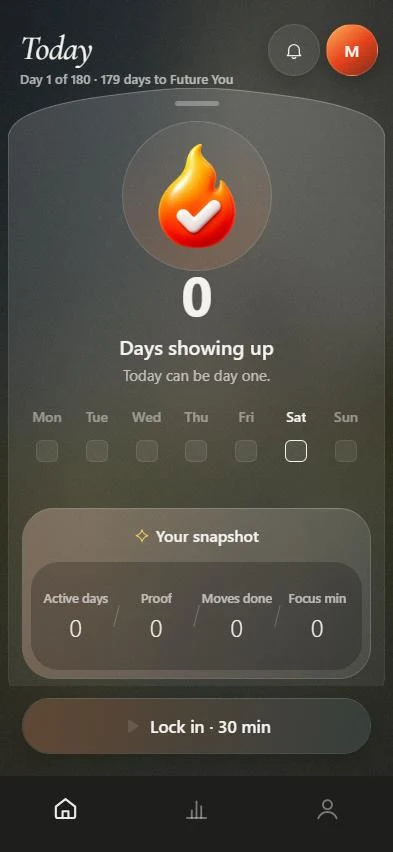 Three actions a dayThree actions with a reason and a time. Move, skip, add your own, rest.
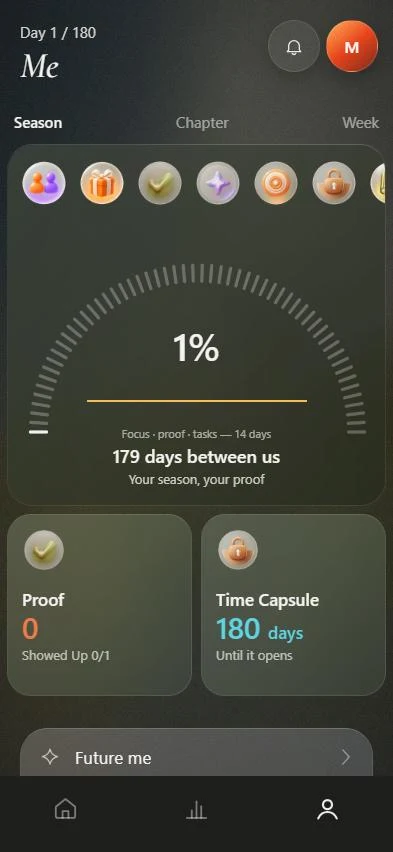 ProofA library of finished actions, focus sessions and milestones.
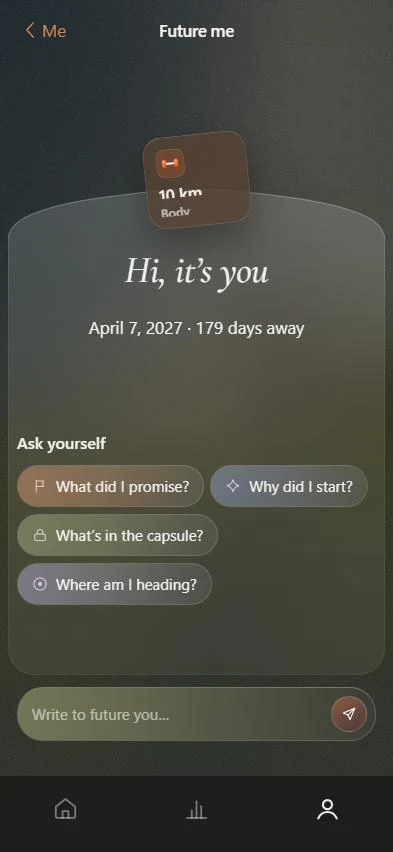 Time capsuleA sealed message to yourself, a reward you choose, your reason for starting.6-month goal planOne outcome, six checkpoints, a small daily routine and a weekly review.180-day challengeDaily minimum, checkpoints every 30 days and a weekly review.